





Creating and sending quotes is an essential aspect of the sales process, for both salespeople and potential buyers. Therefore, we pay special attention to this important component in every Dynamics 365 Sales implementation.
Fortunately, the Microsoft ecosystem offers countless opportunities to create quotes in the way that best suits you. The experts are already on hand to guide you to the ideal solution for your specific needs.
Option 1: Quotes with Dynamics 365 Sales
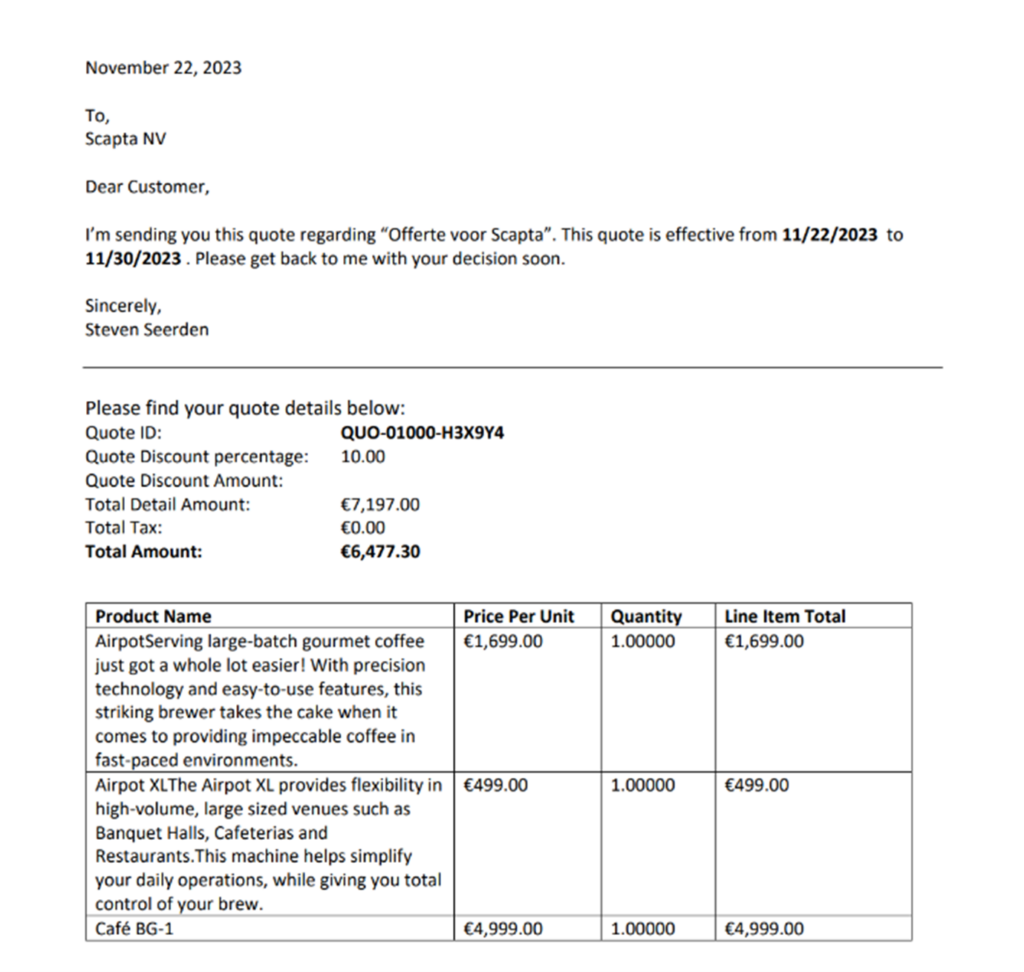
Naturally, the system offers the functionality to create and generate quotes as files. The generated file is a WORD template that is populated with the information you entered in Dynamics 365.
You can find an example of such a standard offer on the right.
Do your quotes include information retrieved from different parts of the system? Do you want to surprise your potential customers with a visually appealing quote? Prefer no file, but a webpage for your customers?
Then this option is probably not the best choice for you… but don't worry! There are still plenty of other options available.
Option 2: Offers with a Microsoft AppSource app
A search on Microsoft AppSource with the terms ‘Dynamics 365’, ‘Sales’, and ‘quotes’ yields 51 search results, including 51 apps from Microsoft partners that enable quotes in various ways. From this list, we will highlight three apps that, based on our experience, perform excellently.
DocuSign for Dynamics
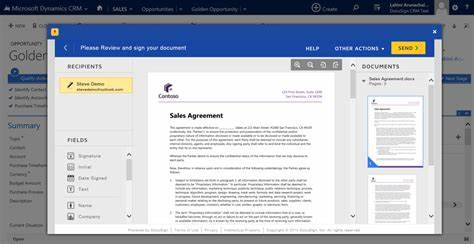
Convinced that quotes are signed digitally faster? They are with DocuSign too. Through this add-on, quotes are created in Dynamics 365 and sent with DocuSign from the same location. When your quote is signed, you will automatically receive a notification in Dynamics 365.
PandaDoc for Microsoft Dynamics 365
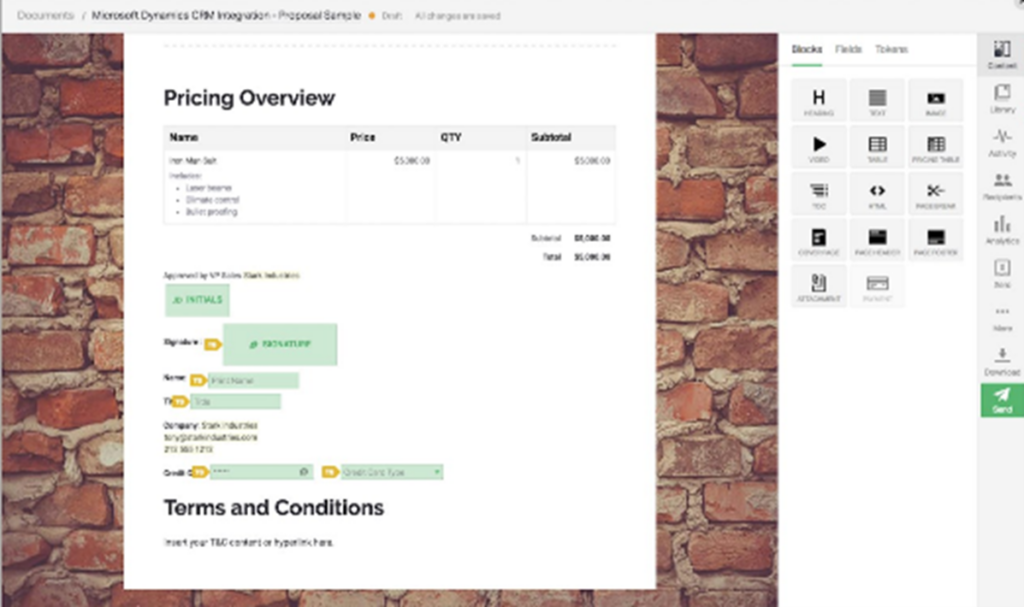
PandaDoc is an attractive choice if you prefer working with a web page where you can add visually appealing elements, such as videos and images from your website. Additionally, it provides insight into when your prospect is viewing the page, how long they view it, and whether links are clicked. Finally, your client has the option to sign the quote digitally.
DocumentsCorePack, professional document generation and automation
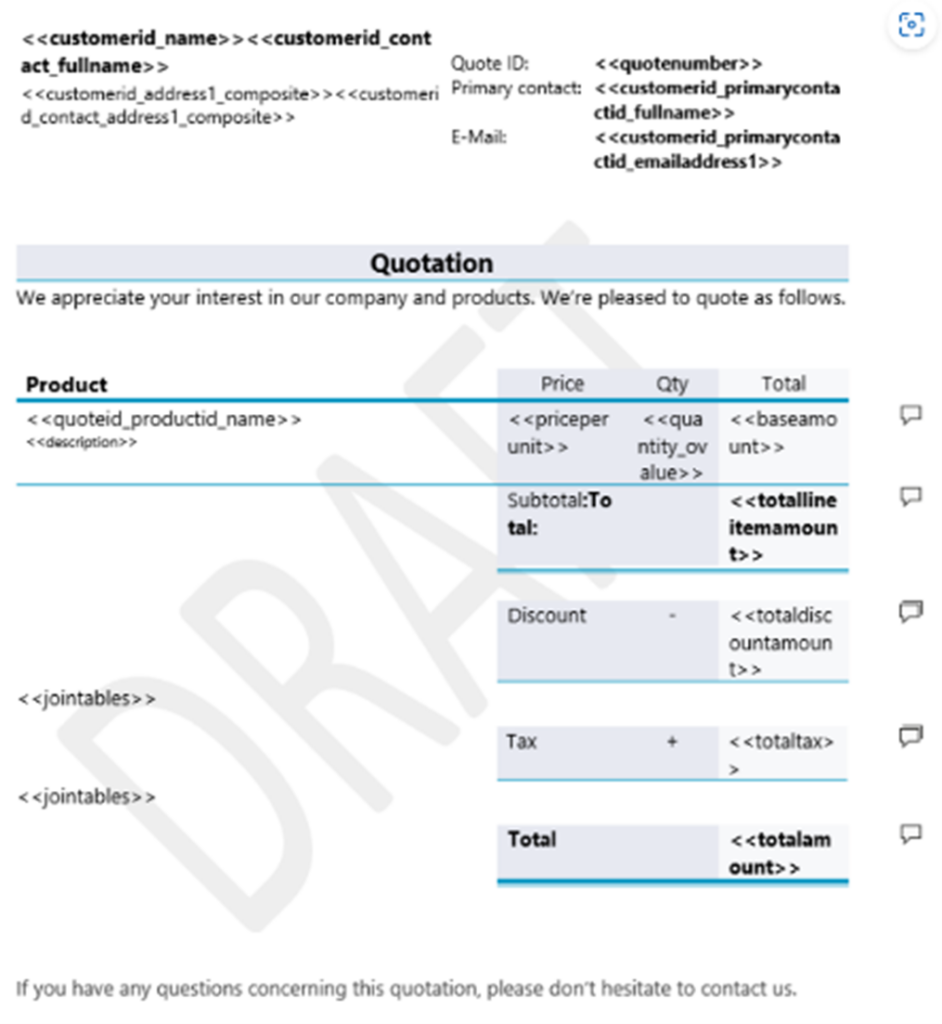
Do you need information for your quote that comes from different places within Dynamics 365? In that case, DocumentsCorePack might be the solution. Using this add-on, you can retrieve data from various locations and then merge it into a single document.
Author: Steven Seerden
Do you have any further questions about this topic or are you interested in implementing Dynamics 365 Sales in your company? Please do not hesitate to contact us using the contact form below. We are ready to help you!