




In an era where cloud services are gaining more and more ground, various companies continue to cling to traditional on-premise systems. These systems have proven their worth, but the world is changing rapidly. Efficiency and digitalization are the new norms.
In a series of interviews, we learn more about the journey of companies that migrated to the cloud using Microsoft Dynamics 365 Business Central and scapta as their digital sidekick. They are now optimizing business processes, working smarter, and preparing for the future with Business Central.
Featured today: Trius NV, your partner for ICT & Office infrastructure. Care to read along?
Trius Steps into the Future with Microsoft Dynamics 365 Business Central
You were already working with Microsoft Dynamics NAV for a while before switching to Business Central (BC). What is the biggest difference between the two? Do you feel a big impact from the migration to BC?
Previously, we had everything on-premise. A while ago, we migrated to scapta's cloud and then to the Microsoft Cloud.
Business Central has many advantages: it's always available, everywhere, on any device. That's also the biggest difference for us compared to Navision. Previously, you always had to be present at the office to work with the software. Now, you can work from anywhere, so to speak, as long as you have a laptop, smartphone, or tablet.
Did you feel a need to switch to Business Central yourself?
As a company, it is naturally important to keep up with the times; nowadays, everything is done with the cloud. I'm glad we've taken that step too.
The many integrations possible with Business Central (BC), such as with Microsoft 365, also make work easier. Have you at Trius integrated other systems with BC?
Just like in Navision, we integrated Optical Character Recognition (OCR) software. We use that software to transform paper documents into digital versions, so we can edit and archive them later. With the migration to Business Central, that integration was simply carried over. Very convenient!
Microsoft Dynamics 365 Business Central includes a lot of functionality. Which ones do you use within Trius?
Of course, we work a lot with traditional functionalities like sales, purchasing, accounting, etc. But we also have the service module. Scapta has perfectly personalized that for us.
Here's how it works: All members of the technical service directly enter what they've done in terms of IT support in Business Central. They then describe the entire case, the causes of the problem, the solution, etc. They can now directly link all completed tasks to the customer in the system. All I have to do at the end of the month is give my approval. The customer then automatically receives the invoice with an overview of all interventions.
What a difference from the past! Before, we worked with voucher books and had to re-enter all those interventions, sign them... in short, process them manually. Now, everything is almost automatic.
You just said that Trius's technical service also works with the software. What do they think of the user experience? What have you done to support users during the migration?
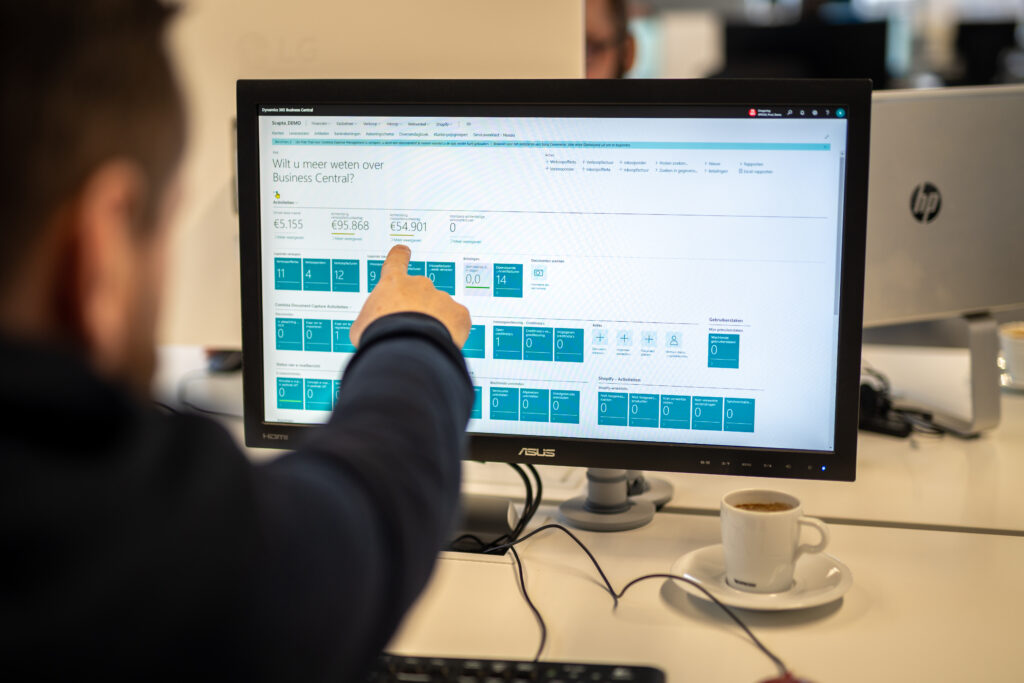
That's right! A total of 8 employees work with Business Central. Everyone actually got the hang of it very quickly! To facilitate the transition to the new way of working, I created a customized start screen. All the buttons they need are in there, they can hardly miss them.
Scapta assisted you with the full migration from Navision to Business Central. How did that collaboration go?
The support at Scapta is very good; we have no complaints about that. Even if they can't provide an immediate solution, they look into it and always get back to us within the day. That makes for good collaboration, knowing you can count on Scapta without having to chase them up every time.
You've been working with Business Central for a while now. Do you see any room for improvement?
Yes, indeed. For example, Microsoft still thinks everyone works entirely electronically. Of course, that might be the reality if you provide services, but at Trius, we deliver goods. I have to print a lot before I can send a package, and today that requires about 15 clicks. That should be easier.
And then there are a few minor things, like the tabs at the top of the page. They aren't very consistent. Or the fact that in the service module, you can't search by customer name, only by customer number. We are looking forward to a software update for these issues, but we truly have confidence in this package.
Would you recommend the transition to Business Central to other companies still working with Navision?
I have to admit that I find that quite a dual issue. On the one hand, I wouldn't recommend it if you don't need extra functionality to optimize your processes. But on the other hand, whether you like it or not: Microsoft will soon no longer support Navision. Then, in any case, you'll have no other choice. You have to bite the bullet, and thankfully, thanks to scapta, that's not too bad!
Apart from that, it's a very useful package. Especially now that many companies are also adopting a hybrid approach and many employees are working from home more often. It's a good product, it has many functionalities, and our accountant is a big fan. We are satisfied!
Interested in migrating 100% to the cloud? Leave a comment below!